

The Game - Activities in the city | The Game The Sims 3 Guide
Last update: 11 May 2016
Joint ownership and purchasing a company
There are many premises in the city - you can use them, start a joint ownership or purchase the whole business. It is not cheap but it means additional income every week which will grow in the future.
Type of premises | Cost of being co-owner | Profits of being co-owner | Cost of buying up the shares | Profit of being the owner |
Bar | 6000 | 850 | 18000 | 1700 |
Supermarket | 7000 | 1000 | 20000 | 2000 |
Bookstore | 7000 | 1000 | 20000 | 2000 |
Restaurant | 12500 | 2100 | 25000 | 3000 |
SPA resort | 15000 | 2500 | 35000 | 4000 |
Warehouse | 15000 | 2500 | 35000 | 4000 |
Theatre | 18000 | 3000 | 40000 | 6000 |
Skyscraper | 18000 | 3000 | 40000 | 6000 |
Hospital | 30000 | 6000 | 75000 | 12000 |
Stadium | 35000 | 6800 | 80000 | 13000 |
Scientific centre | 40000 | 7900 | 100000 | 15000 |
This weekly income concerns only the first week. In future the income may be bigger.
You don't have to buy the whole business right away, you can visit the place and choose ownership. Sim enters the building and after an hours leaves with the act of ownership in his/her backpack. Then you can click on the building again and choose the purchase of the premise - again Sim leaves after an hour. Ownership belongs to a particular Sim. When you click on the act you can give it to another Sim. Every week look into your backpack and click on act to take out the money earned by your company - Sim will go to the building, stay for an hour and take the profit.
Buying products in grocery store
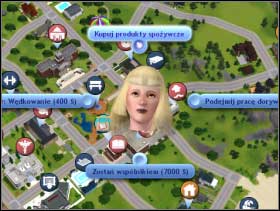 225
| 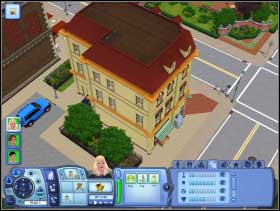 226
|
Look into the fridge from time to time to check which products are missing. When you are on the city map, click on supermarket and choose "buy food" [225]. Sim will go to the shop, go inside [226], but you won't be able to see the store from the inside.
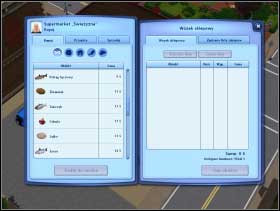 227
| 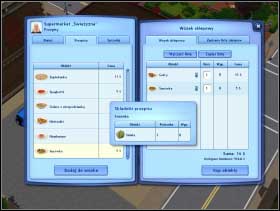 228
|
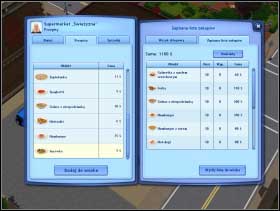
You will see the list of products (on the left) and your basket (on the right) [227]. As the products are presented on the left screen, you can move to the dishes fold - useful products will automatically appear in your basket. In the case of both lists you can decide how many products to buy[228]. You can check the price of every product/dish.
 229
|  230
|
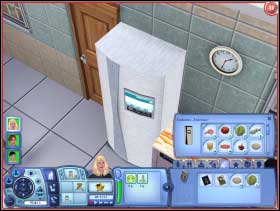
You can also write a shopping list - in this case you won't have to choose products at store, just go to second fold and choose "send list to cart" [229]. After coming back home "open" fridge and move products from your backpack into the fridge [230]. The truth is you don't need to go to shop regularly. Even if you're cooking and there's not enough of some product, you will pay some simoleons for it - without leaving the house.
Changing name and surname
 231
|  232
|
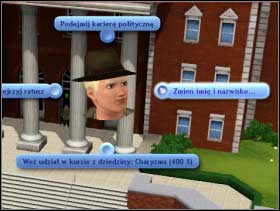
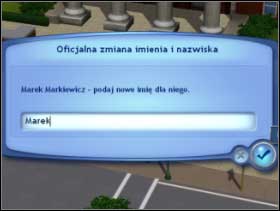
You can change names and surnames of Sims. You just have to go to city hall and choose proper option [231], and a special window will appear. Just write new name and surname [232].
Buying books in bookstore
 233
|  234
|
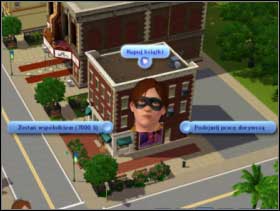
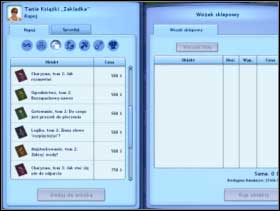
If you want to buy a book, you have to go to bookstore [233]. Sim goes inside and you will see a list of titles [234] with folds: general, skills, music notes, child's development, fishing and cooking book. After choosing books and paying for them, they are in your backpack. You can move them to bookcase at home.
Using other Places
 235
|  236
|
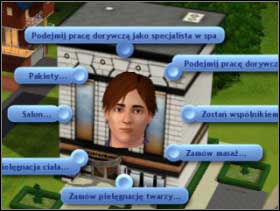
You can use many other places. You can read books in library, in gallery - watch objects. You can go to the theatre [235] ex. to see a film or to stadium on a concert or match (which makes Sims happy). If you have time it's worth going to SPA resort [236] - it really makes them happy. When you are really rich, you can use whole package ex. use soothing rescue for 7500 simoleons which make Sim happy for 7 days! You can also go to the cemetery and to many places like central park where many Sims turn up everyday.
Entering many places (gallery, library) you will see Sim going into it and then you can control his/her moves inside the building. In other cases (grocery store, bookshops, stadium, theatre, city hall, school etc.) Sim just goes in, but you can only see the option panel (ex. list of books you can buy) or you will have to wait ex. for the concert on the stadium to finish, until Sims leaves the building.