login (email): password:
auto log in (cookie) | forgot your password?
all game guides

The Sims 3 - Creating Sim - Clothing - game guide, walkthrough, secrets, game tips & strategies

The Sims 3 Game Guide
Creating Sim - Clothing
by Maciej „Psycho Mantis” Stepnikowski,
Translated by: Agnieszka „Pyretta Blaze” Szukuc
(guides.gamepressure.com)
Free game guides, walkthroughs, solutions, game FAQs and maps for gamers.
Download this game guide for free in PDF File format.
rate guide:
Creating Sim - Clothing  (6/44)


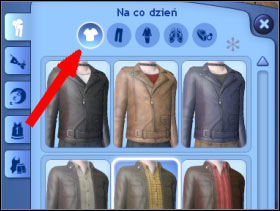
You can create five different outfits for five different occasions: Everyday, Formal, Sleepwear, Athletic, Swimwear.
 

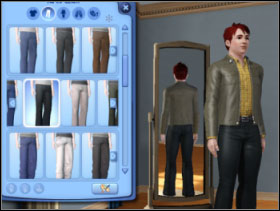
040

041

After creating every outfit at the top [040] there are icons presenting different elements of the outfit. The ones at the top and the bottom [041] elements of the outfit can be chosen separately from the gamut of clothes. Different styles are presented in a row – in one row you can see different colour versions of one cut.


042

043

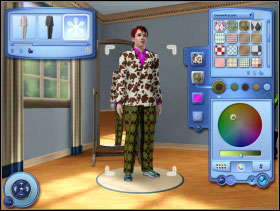
When you choose the right cut, but you don’t like any version of colours, click on the icon „Enter Creating a Style[042]. The description of designing clothes was given while hair and its covering were described. I must add that the only limit here is your taste [043]. Designing concerns all elements: starting with blouses, swimming-suits and shoes and ending with glasses and necklaces.


044

045

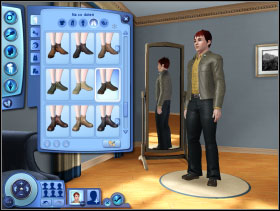
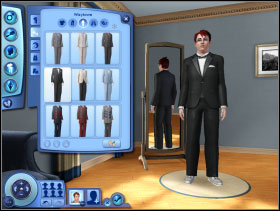
If you like, a costume can be your everyday outfit [044]. Just don’t forget to choose proper shoes [045].


046

047

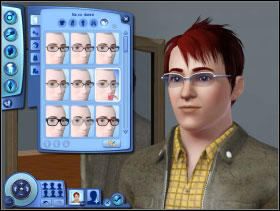
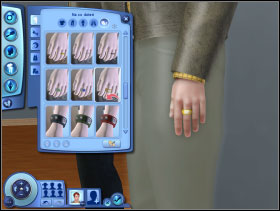
The last elements is accessories. Glasses [046], gloves, rings, signets [047], earrings, bracelets, watches etc. – these elements are available according to the sex of Sim.
 

048

049

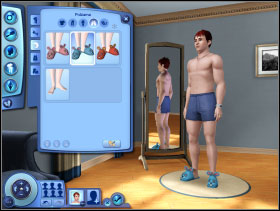
Then move to other outfits (fold on the left). Choose Formal [048] and Sleepwear [049]. Don’t forget about all elements – shoes and accessories as well.


050

051

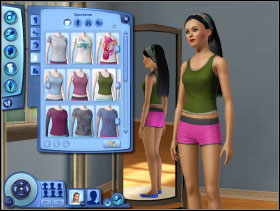
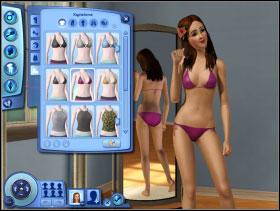
At the end you have to choose Athletic [050] and Swimwear [051].

You can choose different accessories and hairdo to every outfit. You can change your clothes every time you want by clicking on chest of drawers or wardrobe – except for the ones you have chosen yourself, you are able to put on your job clothes but it depends on the kind of work you do.


Creating Sim - Clothing  (6/44)
comments and responses

Introduction
Environment
Environment
Creating Sim
Basics
Hair
Face
Personality
Final remarks
Sim’s House
Playing with the family living in the city
Move in household
Buying plot with a house
Buying an empty plot – building a house - part 1
Buying an empty plot – building a house - part 2
Rebuilding the house
Furnishing the house
Summary
Sims
Moving around
Personality
Age
Needs
Moodlets
Wishes and life aim
Lifetime Happiness
Skills - part 1
Skills - part 2
The Game
City
Relation between Sims
Child
Phone
Activities in the city
Other activities and events
Work
Career
- Culinary
- Journalism
- Business
- Political
- Criminal
- Medical
- Military
- Science
- Professional Sports
- Law enforcement
- Music
This site is not assotiated with and/or endorsed by the Electronic Arts or EA Games. You are not permitted to copy any image or info from this page.
All logos and images are copyrighted by their respective owners. Official The Sims 3 www page: http://www.thesims3.com/
Chronicles of Mystery: The Tree of Life | Dragon Age: Origins | Risen | Divinity II: Ego Draconis | Batman: Arkham Asylum | Fallout 3: Mothership Zeta | ArmA II | Sherlock Holmes vs. Jack the Ripper | Fable II: See the Future | Fable II: Knothole Island | Call of Juarez: Bound in Blood | Fallout 3: Point Lookout | more game guides ...