
Creating Sim - Hair | Creating Sim The Sims 3 Guide
Last update: 11 May 2016
 016
|  017
|
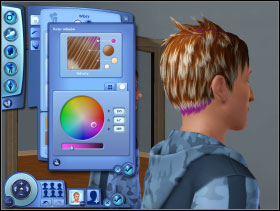
You choose the hairstyle of your Sim in hair fold. Then choose one of the colours presented below or click on the icon of paintbrush in the right bottom corner of the window [016]. A window presenting points responsible for the elements of the hairdo will appear: ODROSTY, the base, highlights, hair endings. Click on particular points and then choose colour for this element by using the pallet of colours [017].
 018
|  019
|
If the pallet doesn't meet your needs, click on fold "The circle of colours" and you will see a circle with a much more possibilities to choose from [018]. Below it there is a bar which is responsible for the brightness of colour.
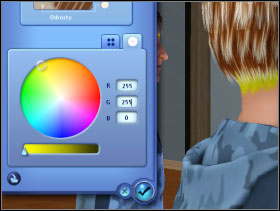
There are symbols R, G and B on the right which are shortcuts to Red, Green, Blue - RGB is a model of colour spaces. When you write down the values from 0 to 255 you can obtain thousands of colours. In RGB the value of 0 for all three colours is black, the maximum value (255) for all three colours is white and for example 255 for red and green and 0 for blue is yellow [019]. Of course it is useful for the ones who know how to use RGB. The other can just click onto the chosen colour.
Remember, if you want to have a particular colour but without highlights, ODROSTY etc. just settle the same colour in all four points.
 020
|  021
|
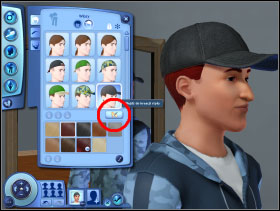
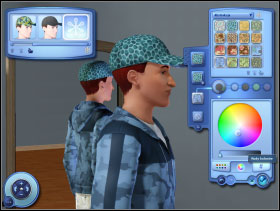
You can also choose "Hairdo with accessories" (the icon at the top) and make Sim more beautiful by using caps or hats. This time except for the already know change of hair colour (the icon of paintbrush at the bottom corner on the right), you can also design the image of the person, whatever you want him or her to wear on their heads. Press the key "Go to the style creation " [020]. In the left upper corner there are models designed by the creator, but for a picky players there is something extra [021].
 022
|  023
|
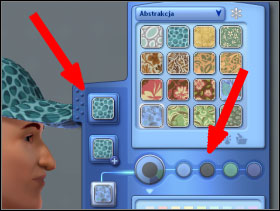
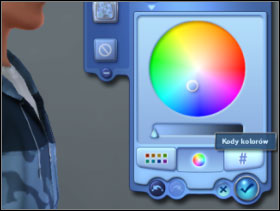
In the right upper corner of the screen there is a list - thanks to it you can choose the type of material. You can choose any material you like (not only caps, but also for blouses, trousers and furniture), and then a pattern. If you do it, click on particular elements of the outfit (t-shirts, trousers, socks, wardrobe, desk etc.) - they are situated on the left side of panel on the right [022]. Then by pointing out the circles responsible for particular colours of the elements creating the whole pattern, you can modify the colours. When you choose the colour to change it, you use the pallet below as well as the circle of colours and RGB code [023]. You can in the same way create an outfit based of hundreds of colours!
Eyebrows and eyelashes
 024
|  025
|
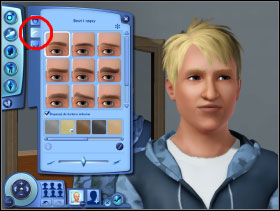
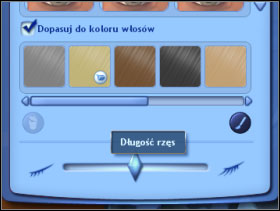
You can choose the way eyebrows and eyelashes look in another fold [024]. Thanks to one of the options you can make them look in the same way as hair [025]. Of course if you need more colours again (you will get use to that) you may use a pallet, circle of colours and RGB code. You settle the length of the eyelashes by using the slide at the bottom.
Facial hair
 026
|  027
|
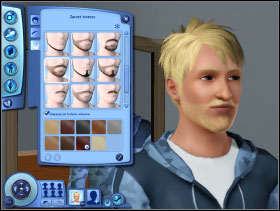
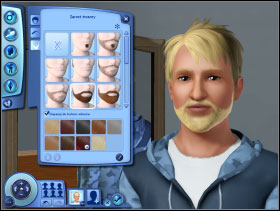
In the case of facial hair the procedure is identical as in the case of eyebrows. You choose the pattern and the colour, you make it the same as the colour of hair, use the ones available on the first screen, use the pallet, the circle of colours or the RGB code.