
Examples of settings for different modes | Basic Information: NFS: PS Guide
Last update: 11 May 2016
Examples of settings for different modes
 |  |
#1 | #2 |
1. Grip
This car should get the best parts as soon as possible, from the Engine to the Brakes. The question of Suspension differs from car to car, although a stiff setting is the best. [#1]. Use the general tips when setting the Brakes. Same for the Engine: shift camshaft phase to the left, the rest to the right. [#2]. Recommended cars are the Nissan 240SX and the Mitsubishi Evo X.
 |  |
#3 | #4 |
2. Drag
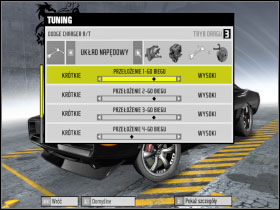
All parts to third level (You can leave the Brakes subpar as you won't obviously need them). Set Suspension to Stiff, low height above ground and air pressure. As for the camshaft phase, it depends on the distance. On the quarter mile, set the camshaft phase to the left, if the half mile, you can balance it. Remember that you can change tuning settings during the Race Days. Drivetrain settings depend on the vehicle and the other settings. If any of the gears is short, set the respective scrollbar to the right.[#3] Don't even bother tweaking the brakes. Oh, and remember that in the Windtunnel, the second scrollbar should be as long as possible[#4] - even if you buy a part, don't screw around with Autosculpt. Best car is definately the Dodge Charger.
3. Drift
 |  |
#5 | #6 |
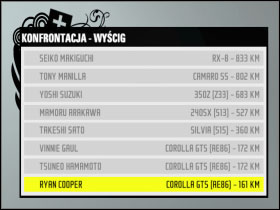
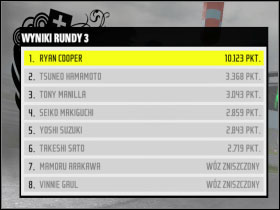
You'll need a car that can skid well, no more. Either the Toyota Corolla or the Nissan Silvia. Don't upgrade such a car at first, only when you get the other cars and have a spare pile of dough should you do the full 3rd level upgrade, along with the ever-useful nitro. Play around with aerodynamics and the general look for your satisfaction. As for the settings, there's little to mention: Set the Brakes according to the standard rules, change nothing in Suspension, shift the camshaft phase scrollbar to the left and maximise turbo and nitro to the right. As for the Drivetrain, it depends on your feel for the car - the default values should be ok, but if not, do as you wish. And remember: horsepower doesn't count! You can start against 900 HP cars as the last one[#5] and win the race. [#6].
4. Time Attack
 |  |
#7 | #8 |
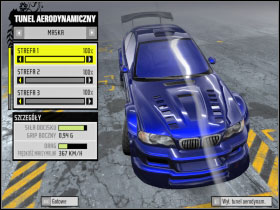
Of course, get the best parts with the full aerodynamic workup, Suspension as stiff as possible. Engine: camshaft phase in 3 length of the scrollbar, turbo and nitro maxed out to the right. Brakes in favor of the front axle, all Brake settings maxed out to the right. Drivetrain, as usual, depends on the car itself. Best cars for this job are: Zonda, 911 GT2, Ford GT and the other supercars. My personal favorites, though, are the BMW M3 [#7] and the Porsche 911 GT2 [#8]. This is enough to win any race in this category.