
Part I | Controls & commands Halo Wars Guide
Last update: 11 May 2016
Xbox 360 controller
First of all - in Halo Wars you cannot change the default controllers setting. So you have get used to ones, prepared by the authors.

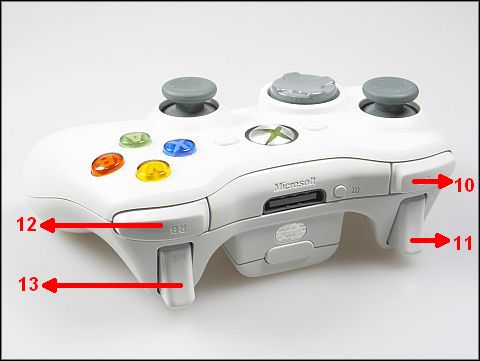
1 - Y button - Special
2 - B button - Cancel
3 - A button - Select
4 - X button - Attack
5 - Left Analog Stick - Move Crosshair
6 - Right Analog Stick - Camera
7 - D-Pad - Jump to Different Locations
8 - Start button - Game Settings
9 - Back button - Objectives
10 - Left Bumper (LB) - Select Global Units
11 - Left Trigger (LT) - Faster Crosshair Movement (hold)
12 - Right Bumper (RB) - Select Local Units
13 - Right Trigger (RT) - Cycle Through Selected Units
Head Up Display

1. Visual COM
Incoming communications from Spirit of Fire and front lines.
2. Objectives
Mission objective displayed and updated here. To see the full list of mission objective, press BACK.
3. Population
Current/maximum population.
4. Technology Level
5. Total Resources
6. Minimap
7. Direction Indicator
Navigational aid (campaign only)
8. Selected Unit Icons
Camera controls
To move the camera to the left, right, top or bottom - use the left analog stick. To move it faster - hold down the LT.
If you want to rotate the camera - move right analog stick to the right or to the left. Using the same stick you can also zoom your view - just move it up or down.
To bring back the default view - just press the right analog stick.
To operate the camera effectively you have to also use the D-Pad. Press:
D-Pad Left - to cycle through your bases,
D-Pad Right - to move to last alert location,
D-Pad Down - move/cycle to next army.
Selecting units
To choose a single unit - move cursor above it and press A.
To select all units across the screen - press RB.
To select all units across the map - press LB.
To select all units of the same type across the screen - fast, doubleclick A.
You can also select units by pressing and holding A and then moving the brush to choose those, you want to select.
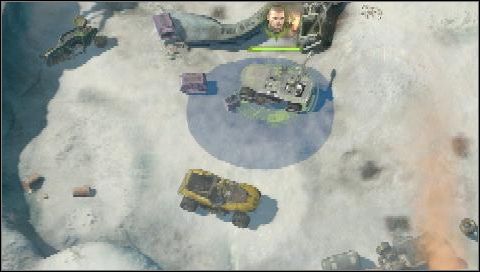
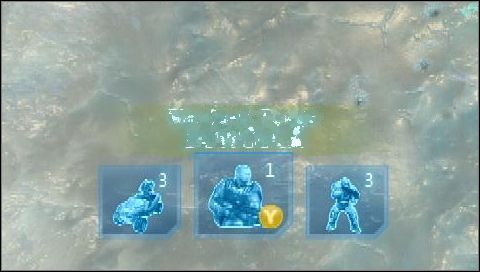
When you select units - their icons would appear in the bottom side of the screen. You can cycle through your selection using RT.
Moving units
Just select units, point the place you want to send them with the cursor - and press X.
